M.US

Aulos —

2025

M.US

Aulos —

2025

Aulos

Aulos (OH-lohs) is a concept for a cross-platform media tracking app that automatically generates monthly visual timelines of what users watch, listen to, and read. As the sole designer, I took this project from initial research to a high-fidelity prototype in Figma, conducting user research to validate the problem space, designing the complete mobile experience, and experimenting with AI-assisted development tools to translate the concept into working code.

Role: Product Designer

Contributions: Research, Design & Prototyping

Library

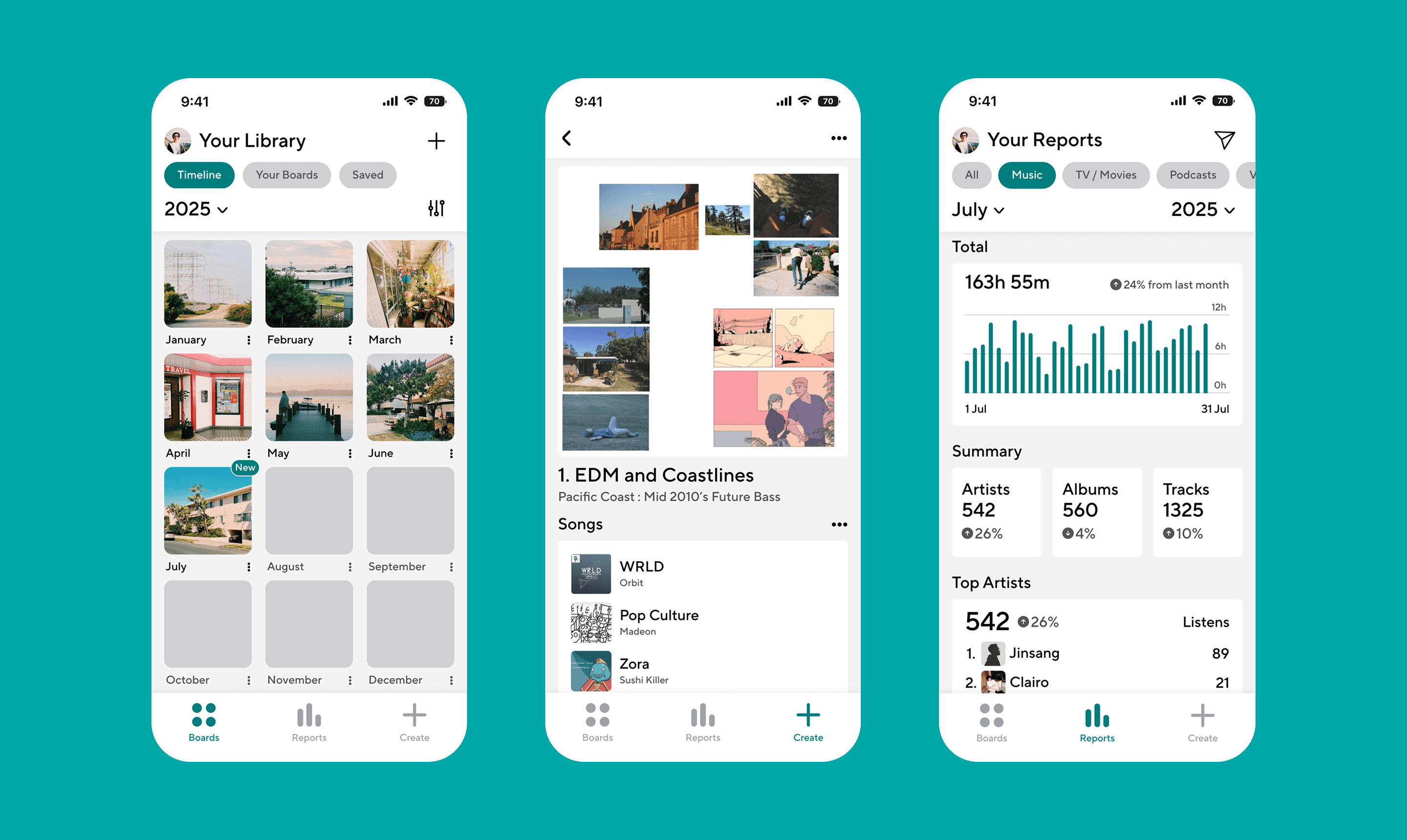
Monthly generated boards appear in a calendar grid format on the “Library” tab, the first screen that users will see when opening the app.

Library

Monthly generated boards appear in a calendar grid format on the “Library” tab, the first screen that users will see when opening the app.

Library

Monthly generated boards appear in a calendar grid format on the “Library” tab, the first screen that users will see when opening the app.

Library

Monthly generated boards appear in a calendar grid format on the “Library” tab, the first screen that users will see when opening the app.

Reports

A dedicated “Reports” tab displays monthly media analytics from “Most Played Tracks” to “Top Film / TV Genres.”

Reports

A dedicated “Reports” tab displays monthly media analytics from “Most Played Tracks” to “Top Film / TV Genres.”

Reports

A dedicated “Reports” tab displays monthly media analytics from “Most Played Tracks” to “Top Film / TV Genres.”

Reports

A dedicated “Reports” tab displays monthly media analytics from “Most Played Tracks” to “Top Film / TV Genres.”

Create

The “Create” shortcut on the tab bar allows users to create visual moodboards, granting users the ability to draw connections between different genres of media, all on one place.

Create

The “Create” shortcut on the tab bar allows users to create visual moodboards, granting users the ability to draw connections between different genres of media, all on one place.

Create

The “Create” shortcut on the tab bar allows users to create visual moodboards, granting users the ability to draw connections between different genres of media, all on one place.

Create

The “Create” shortcut on the tab bar allows users to create visual moodboards, granting users the ability to draw connections between different genres of media, all on one place.

PROTOTYPING WITH AI

Building With Cursor & Lovable

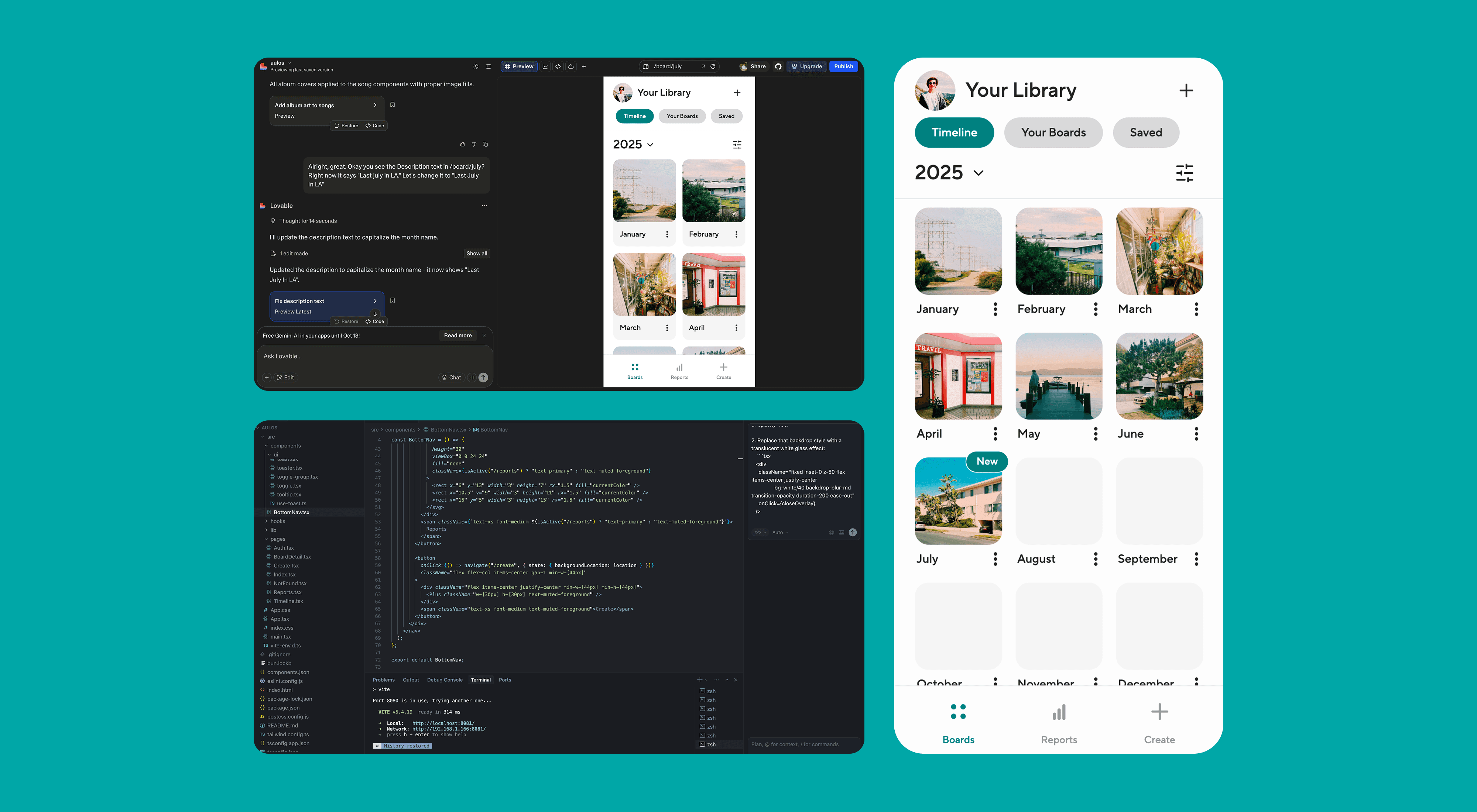
To push the project beyond Figma prototypes, I experimented with building a functional version with Lovable and Cursor, exploring how AI-assisted coding tools could accelerate the path from design to working product.

PROTOTYPING WITH AI

Building With Cursor & Lovable

To push the project beyond Figma prototypes, I experimented with building a functional version with Lovable and Cursor, exploring how AI-assisted coding tools could accelerate the path from design to working product.

PROTOTYPING WITH AI

Building With Cursor & Lovable

To push the project beyond Figma prototypes, I experimented with building a functional version with Lovable and Cursor, exploring how AI-assisted coding tools could accelerate the path from design to working product.

PROTOTYPING WITH AI

Building With Cursor & Lovable

To push the project beyond Figma prototypes, I experimented with building a functional version with Lovable and Cursor, exploring how AI-assisted coding tools could accelerate the path from design to working product.

© MIHALKO.US 2026 All Rights Reserved.